Touchscreen phone
Choose the mobile option when the app will be used on a phone or tablet. Controls, orientation, and spacing can differ from the TV experience.
If you searched for xuper tv apk celular, this guide helps you choose a phone or tablet file, check the visible details, and complete a manual installation with fewer surprises.
Independent guide · no official affiliation or latest-version claim
 TV
Xuper TV APK is distributed as an installable Android package. On a phone, the practical job is to download a copy intended for the handset, wait for the transfer to finish, and open it from the browser or file manager. A link shown on a page does not prove who published the package or whether it is still the correct file.
Before tapping install, check the file name, the size shown by the provider, available storage, and your Android version. Real compatibility can vary with the manufacturer, processor architecture, permissions, and outside services used by the app. Treat claims such as official, safe, or definitive as unverified when no traceable first-party source supports them.
Manual installation requires a temporary permission for apps from the source you used, usually the browser or a file app. Android normally shows the exact settings path after you open the APK. Grant that permission only when you recognize the file, and turn it off again when you no longer need it.
This site does not host the APK or control outside content. Its purpose is to explain the mobile workflow and give you a point where you can stop when details do not match. Return to the download page to compare the available source and check date before proceeding.
A short comparison helps prevent installing a TV-only file, an incomplete copy, or a link that has changed. The table reflects details shown by external sources used by this site; it is not a permanent official specification.
| Check | What to look at | Why it matters |
|---|---|---|
| File name | It should identify a mobile variant when the provider separates phone and TV files. | Avoids opening a package designed for remote control or a large screen. |
| Size and transfer | Compare the stated size and wait for the transfer to finish. | A truncated APK commonly causes a parse or package error. |
| Android version | Read the file requirements and check the version on your phone. | A responding link can still point to an incompatible package. |
Choose the mobile option when the app will be used on a phone or tablet. Controls, orientation, and spacing can differ from the TV experience.
Leave room for the APK, temporary data, and updates. If storage is nearly full, clear space before downloading again.
Read the domain and full path. If the provider changes the name, shows conflicting notices, or asks for unrelated data, stop and review the source.
These existing screenshots help you identify the product and spot a page that does not match. They are reference material, not a promise that every category or title remains available.
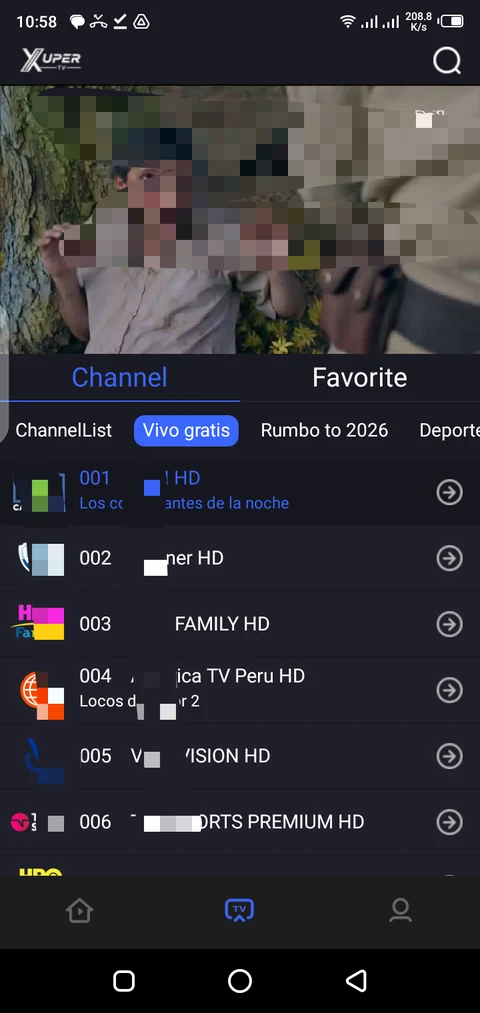
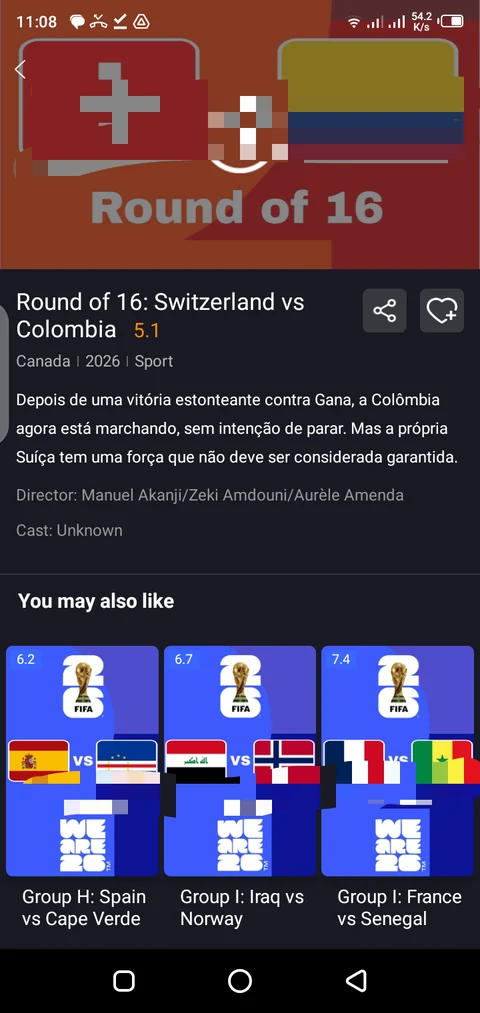
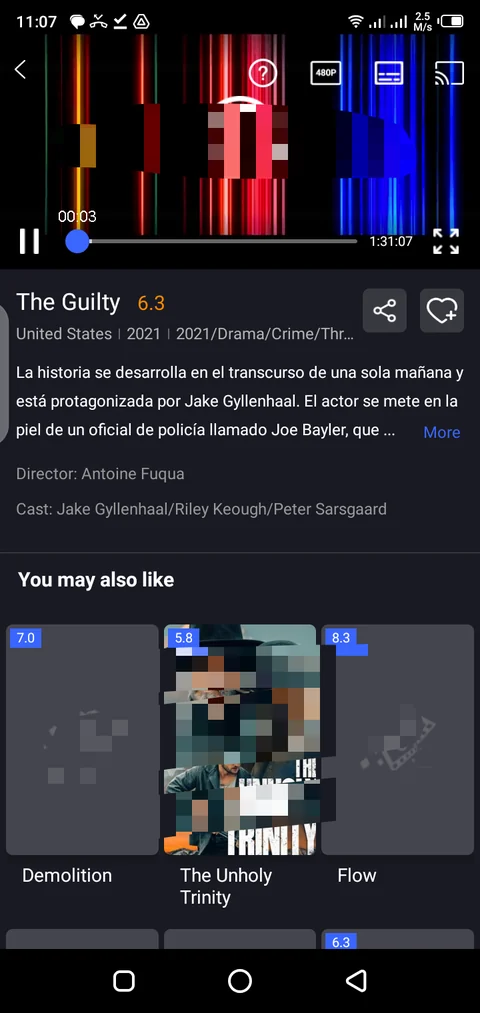
Reference images from xuperhydra.com; the interface may change with later files.
An APK is built for Android, but installation depends on the system version, manufacturer, storage, and architecture. Check your device settings instead of assuming every phone behaves the same way.
This is the main path for xuper tv apk celular. Use the phone browser, download the file, and open it from Downloads when it finishes.
A tablet can also use an Android APK, but review orientation, screen layout, and available storage before installing.
When an app is not listed in an official store, Android asks for an external install. That warning is not a developer verification.
Menu names can differ between Samsung, Xiaomi, Motorola, tablets, and other brands. Follow the order and stop if the file or prompt does not match.
Check the Android version, a stable connection, and free storage. Pause other downloads so the package is not interrupted.
Open the source you selected, choose the mobile file, and wait for completion. Compare the name, APK extension, and final size.
When Android asks, open Settings and allow installs from the browser or file manager you used. This is a temporary permission.
Open the APK, read the permissions Android displays, and continue only when you recognize the package. Revoke the source permission afterward if appropriate.
When installation fails, start with the exact message. Repeatedly changing links without checking the file can hide the real cause.
Check the connection, free storage, and the alternate link on the download page. An outside provider may have moved its path.
The file may be incomplete or unsuitable for your Android build. Delete it, download the mobile variant again, and wait for the final size.
Find Install unknown apps in Settings and enable only the browser or file manager you used. Do not grant access to an unfamiliar app.
Restart the phone, review permissions and compatibility, and check whether the package expects another Android version. Support is not guaranteed for every model.
Channels, titles, and playback can depend on outside services. This guide does not control their availability, quality, or continuity.
APK information can change without notice. Verify each detail on the source you are about to open, and avoid entering credentials or personal data on unfamiliar pages.
It is a search phrase for an Xuper TV APK intended for an Android phone or tablet. A mobile variant can have different controls and requirements from Android TV.
Open a source you recognize, select the mobile file, wait for completion, and check the name and size. Stop and recheck when the link or file details change.
Android supports outside installs after you temporarily enable the source you used. That permission does not prove the package is official, so review it first.
It cannot be guaranteed. Android version, manufacturer, architecture, storage, and outside services can change the outcome. Check the file requirements.
Confirm that the transfer finished, delete the damaged copy, free storage, and obtain the mobile file again. A persistent error may mean the package is incompatible.
No. APK is an Android package; iPhone and iPad need an app made for iOS.
We do not make that claim. Indexed sources show different names and versions, and this page does not have a verifiable first-party release to label as latest.
No. It is an independent guide. External links and files can change, so review the source and permissions at your own discretion.
Return to the download selector to review available sources, compare the mobile option, and continue only when the file makes sense for your Android phone.